Provision the client
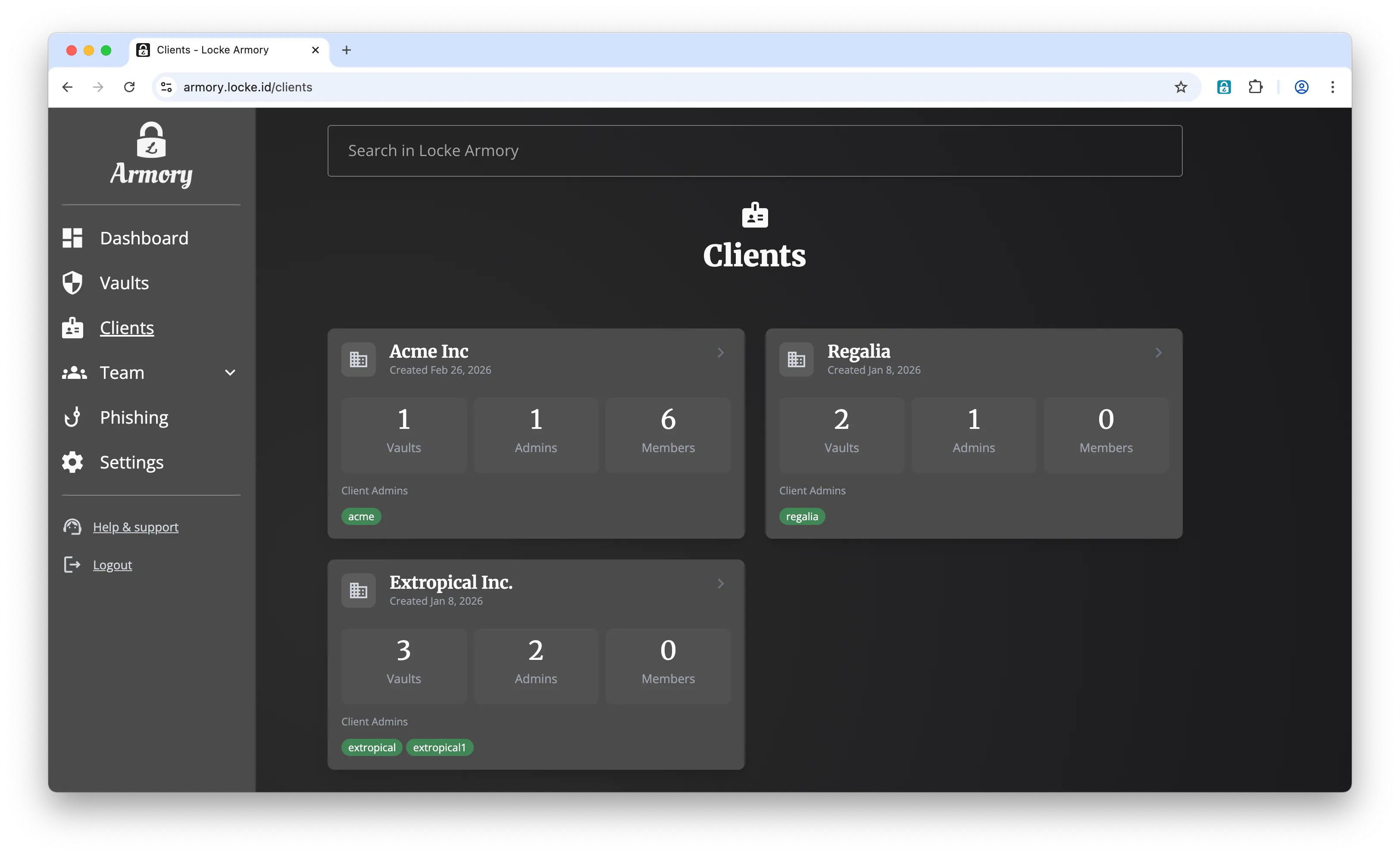
Create a separate client organization from the partner workflow and assign its first administrator.
Armory for managed service providers
Deploy Locke Armory with the right starting point for every client: direct invitations for smaller teams, SAML SSO and SCIM provisioning for managed identity, and WebAuthn passkeys for encrypted vault access. One partner dashboard keeps the rollout practical from pilot to ongoing service.
Start manually when that fits. Add SAML, SCIM, OAuth/OIDC, and passkeys as the client's identity model calls for them.
A repeatable rollout
Create a separate client organization from the partner workflow and assign its first administrator.
Invite members in Armory, connect the directory with SAML 2.0 and SCIM 2.0, or register an OAuth/OIDC application where it belongs.
Users register a WebAuthn passkey, then access encrypted vaults inside that client's boundary.
Review client activity, manage membership, support recovery, and respond when access needs to be removed.
Multi-tenant administration
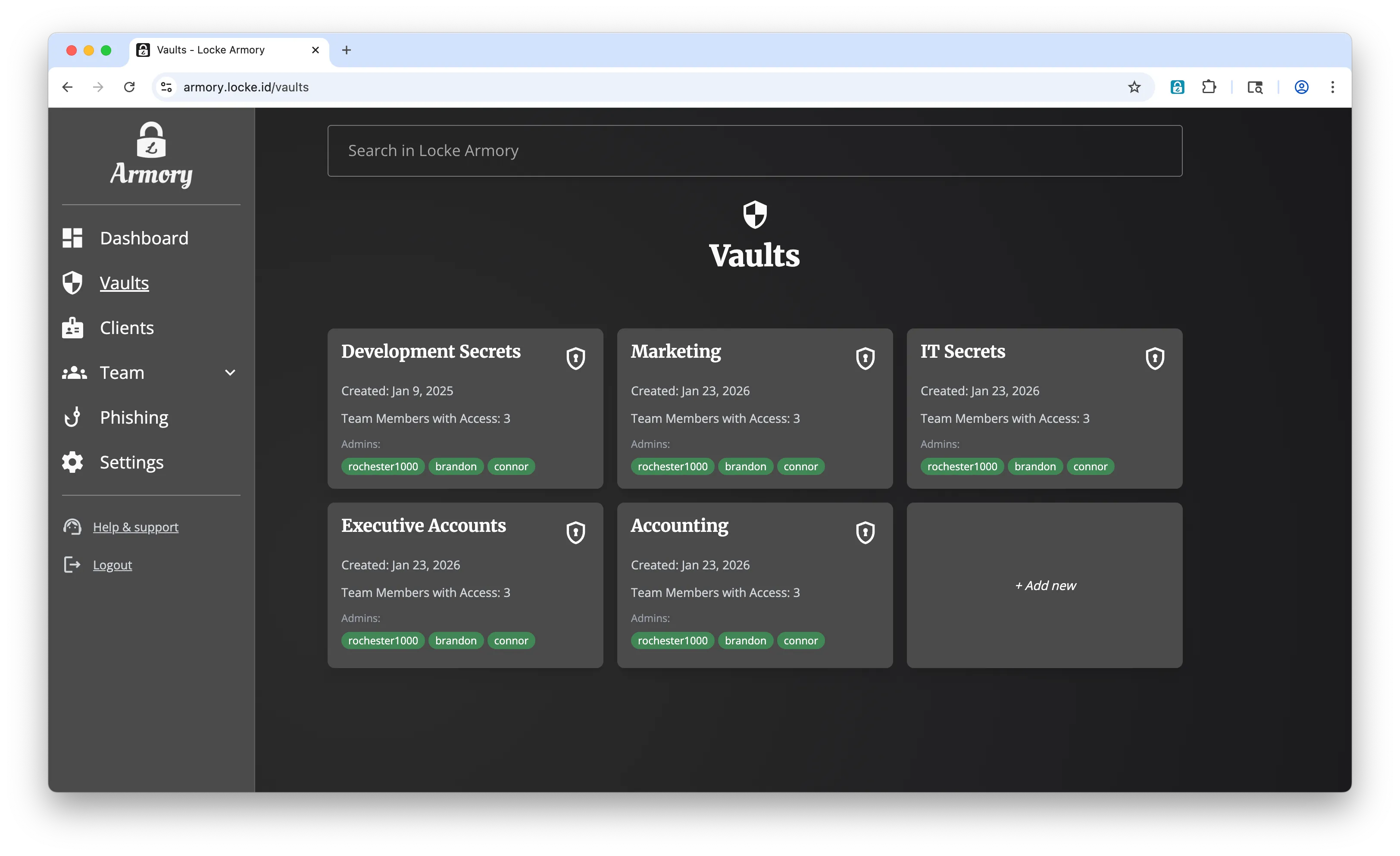
The Armory partner view lists the organizations your MSP manages. Each client retains its own organization record, administrators, members, vaults, permissions, and security configuration.
Directory integration
For an MSP evaluating the easiest password manager to deploy, the practical test is whether it fits the identity lifecycle a client already operates. Locke supports per-organization SAML and SCIM configuration, WebAuthn passkey enrollment, and OAuth/OIDC application integration without asking the MSP to invent a second lifecycle. Read our SAML vs. SCIM guide for a detailed comparison of when you need each.
SAML 2.0 SSO
Armory supports SP-initiated SAML login. The client authenticates with its identity provider, while Locke validates the signed assertion and binds the user to an immutable provider subject identifier. The user then registers a WebAuthn passkey for encrypted vault access.
SCIM 2.0 provisioning
A per-client SCIM bearer token connects the directory to Locke. The user endpoints cover creation, retrieval, profile updates, disable and re-enable events, and deprovisioning.
WebAuthn & passkeys
On first SAML sign-in, Locke guides the user through passkey registration on a WebAuthn-capable device, such as Windows Hello, Touch ID, or a security key. SAML makes identity administration easier for the MSP; the passkey protects the user's encrypted vault access.
OAuth 2.0 & OpenID Connect
Locke can act as an OpenID Connect identity provider for client applications. Organization administrators can register OAuth clients for Login with Locke, using OAuth 2.0 authorization code flow with PKCE for public clients.
A precise scope: this page describes SAML authentication and SCIM user lifecycle support. Directory-to-vault group assignment should be validated with Locke during deployment for the client's identity provider and vault design.

Offboarding
When the identity provider disables a SCIM-managed user, Locke revokes that user's Locke sessions, marks the account disabled, and removes active organization-vault access. Re-enabling the user can restore access without recreating the account.
The client's directory sends the lifecycle change through SCIM.
The user can no longer continue through an existing Locke session.
Active access is removed while the MSP retains an auditable client record.
Need to clear third-party website sessions too? See Strong Single Logout for incident response and urgent offboarding.

Security boundaries
Armory uses organization roles and client-scoped authorization so partner administration does not turn into a shared-password shortcut. Client vault contents remain encrypted, and recovery can use Trusted Circle rather than a recovery file held by one person.
Admin, vault-admin, and member roles separate responsibilities.
Review security and administrative activity in the client context.
An MSP can participate in a client's distributed recovery process.
Vault data is encrypted before it reaches Locke's servers.
Deployment questions
Yes. Armory supports SP-initiated SAML 2.0. Each client organization configures its IdP issuer, SSO endpoint, signing certificate, allowed domains, and attribute mappings. Microsoft Entra defaults are built into the admin configuration; custom claim mappings support other SAML identity providers.
Locke's SCIM 2.0 user endpoints support provisioning, reading and updating profiles, disabling and re-enabling users, and deprovisioning. That keeps the client's directory in charge of the user lifecycle.
After SAML authentication, a user registers a passkey on a WebAuthn-capable device. The client can keep its established identity provider for managed sign-in while vault data remains client-side encrypted.
Yes. Locke can act as an OpenID Connect identity provider for Login with Locke. Organizations can register OAuth clients that use the OAuth 2.0 authorization code flow with PKCE.
No. You can provision the organization, add administrators and members, and build vaults in Armory first. Directory integration can follow when it improves the client's operating model. Our SAML vs. SCIM guide explains when each protocol fits.
Yes. The partner dashboard provides a common way to reach client organizations, but each client keeps its own organization membership, vaults, permissions, identity-provider configuration, and SCIM credential.
Locke implements standards-based SAML 2.0 and SCIM 2.0 interfaces. The product includes Microsoft Entra-oriented defaults and configurable SAML claims. Locke will validate the exact identity-provider setup and provisioning behavior with your team during a guided deployment.
Choose the deployment path that fits each client: direct invitations, SAML and SCIM for directory-led lifecycle, OAuth/OIDC for connected applications, and passkeys for encrypted vault access.