Unlock once. Let passkeys do the rest.
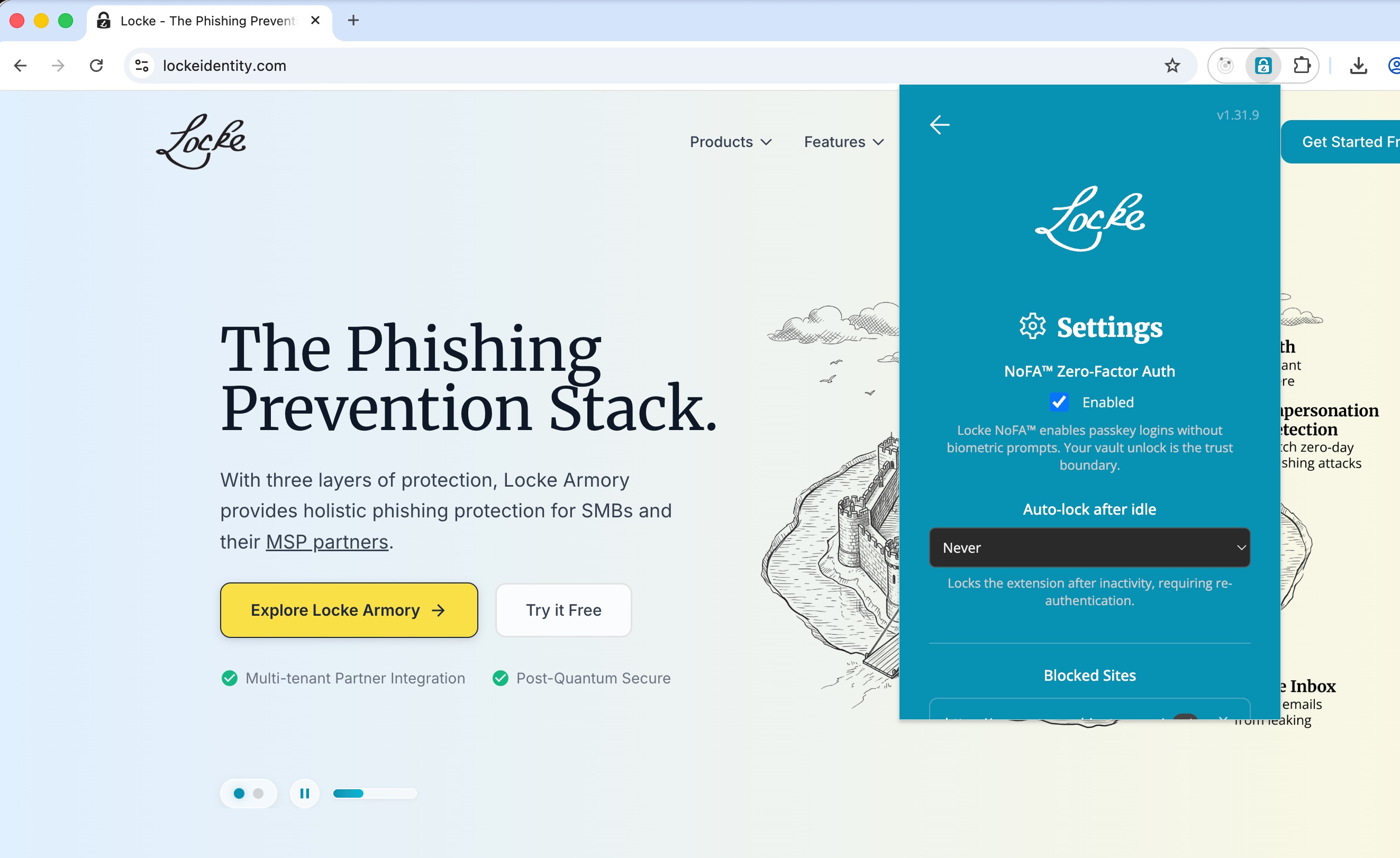
NoFA™ turns your unlocked Locke vault into a trusted session. When a website permits it, the extension completes the passkey login in the background without asking you to prove yourself again.
Available in the Locke browser extension for Chrome and Firefox.
Included free with Locke ID. Also available with Locke Armory for business.
Passkeys fixed passwords. They did not fix the interruptions.

Constant Interruptions
A passkey can still trigger a biometric prompt, system dialog, or hardware-key tap every time you return to a service.

Prompts Become Noise
When people approve prompts all day, authentication becomes another reflex instead of a meaningful security decision.

Trust Already Exists
You already unlocked your encrypted vault on this device. NoFA™ lets that deliberate action carry forward.
Make the vault unlock count.
NoFA™ moves the trust decision to the moment you unlock Locke. While that trusted session remains open, the extension can answer compatible passkey challenges without adding another prompt.
Vault Unlock = Trust Boundary
Unlocking your encrypted vault establishes the session NoFA™ relies on. Lock the extension and automatic authentication stops.
Background Passkey Login
When the website allows a passwordless passkey flow, Locke can complete it in the background without another Locke-requested prompt.
The Website's Policy Still Wins
If a service explicitly requires user verification, Locke honors that requirement. NoFA™ never turns a required check into a silent approval.
From vault unlock to passkey login.
Unlock Your Vault
Unlock Locke with your Fuzzypass or passkey. That deliberate action opens the trusted session NoFA™ uses.
Set Your Timeout
Keep NoFA™ enabled and choose how long the extension may sit idle before Locke clears the trusted session.
Browse Seamlessly
On a compatible passkey flow, the Locke extension answers the challenge in the background. If the site requires verification, that requirement still appears.
Less friction, with clear boundaries.
Vault-Gated Trust
NoFA™ only operates while your vault is unlocked. Lock the extension and all automatic authentication stops immediately.
Configurable Auto-Lock
Choose an idle timeout in the extension settings. When Locke clears the trusted session, automatic authentication stops until you unlock again.
Relying-Party Policy
A website that requires user verification still gets it. NoFA™ only removes an extra prompt when the passkey request permits that behavior.
Passkey-Native
NoFA™ uses FIDO2/WebAuthn passkeys. The website receives a signed, origin-bound credential instead of a reusable password.
Device-Bound Keys
Private keys stay inside Locke's encrypted vault. The website receives a cryptographic assertion, not the key itself.
Phishing Resistant
Passkeys are bound to a website's origin, so a lookalike domain cannot request the credential registered to the real site.
Toward continuous authentication
NoFA™ is the first step toward a world where identity verification happens continuously and invisibly, not as a series of gates you have to pass through. We're researching behavioral and contextual signals that can maintain a trust boundary without ever interrupting you, building on techniques from SBIR-funded work in continuous identity assurance.
Today, your vault unlock is the boundary. Tomorrow, it will be the combination of your device, your context, and your behavior, all working together so authentication disappears entirely.

Built for people who cross login screens all day.

Knowledge Workers
Developers, writers, and analysts who switch between dozens of tools every day. NoFA™ eliminates the friction of re-authenticating to each one.
IT Administrators
Admins managing multiple consoles can move between them fluidly while each service keeps control of any verification it explicitly requires.

Organizations
Give employees a passkey experience with fewer repetitive prompts while Locke keeps the trusted session tied to an unlocked vault.
Available now
NoFA™ is included in the Locke browser extension for Chrome and Firefox.
Ready to stop repeating yourself?
Install the Locke extension, unlock once, and let supported passkey logins happen in the background.
Free for individuals. No credit card required.